
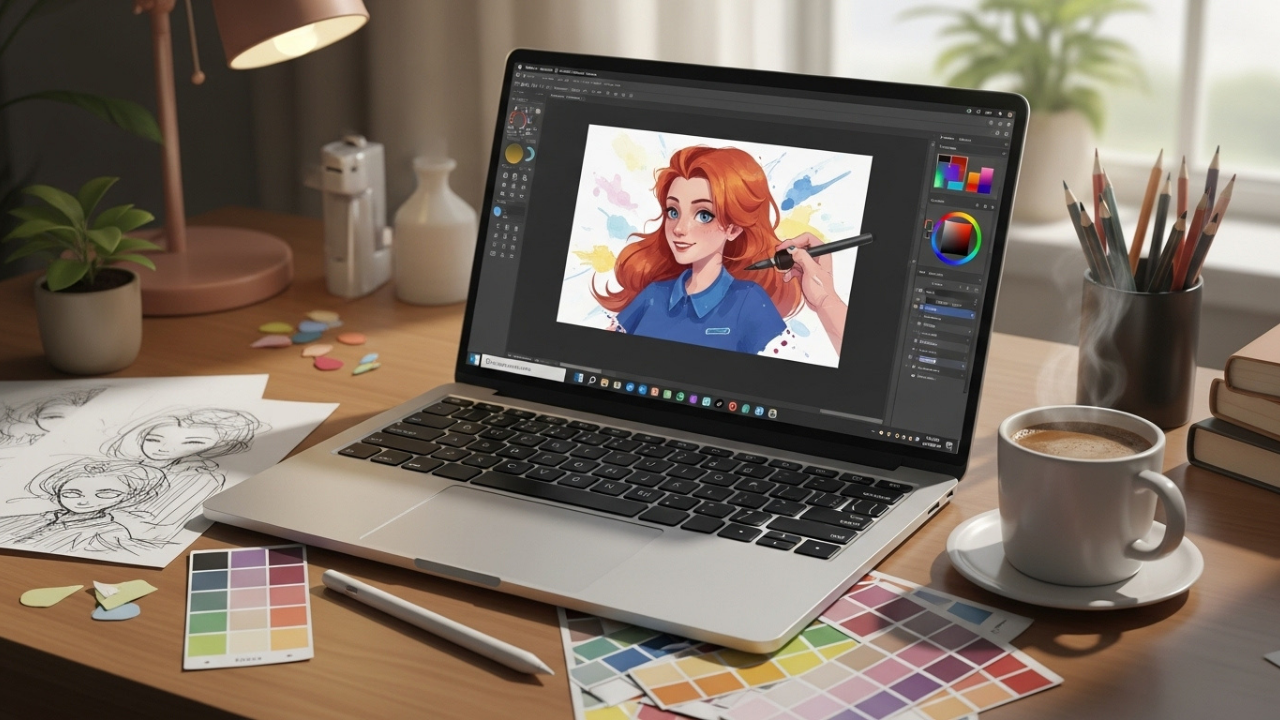
Hello, creative friend! People often think that you need an expensive tablet or software to start digital art, or in some cases, years of experience. If you have a dream to create amazing artwork digitally, check out this guide on how to start digital art! The good news? That’s not true. You can start making digital art today using free tools and basic techniques with a little curiosity.
Digital art is incredibly versatile. With this, you can create anything from a sketch to a fully rendered painting without wasting any material or setting up messily. Whether you are brand new or a traditional artist jumping into digital art, this guide tells you how to start creating your art today.
Key Takeaways
-
Learn how to produce digital art using free tools.
-
Understand the fundamentals of drawing and painting digitally.
-
Understand workspace setup and beginner-friendly hardware.
-
Gain practical exercises to build skill and confidence.
-
Learn how to overcome common beginner challenges.
Why Start Digital Art?
Digital art isn’t a fad but a creative medium.
Digital art offers you a chance to undo your mistakes. You can experiment with colors without wasting things. You can use different techniques without limits. You can make polished pieces faster than traditional mediums using layers, brushes, and digital effects. You may also create animated graphics and design organisations’ online portfolios.
Who Can Start?
Anyone can start digital art. No prior experience required, nor traditional drawing skills. Anyone can try their hand at this medium if they are a beginner, hobbyist, student, or even yet a seasoned traditional artist. Thanks to tools available for free, you can try your hand at it without spending money.
Essential Free Tools for Digital Art: Getting Started Is Easier than You Think
You don’t need high-end devices or software. Let’s explore what’s available for free.
Free Software Options
-
Krita has become popular among illustrators and digital painters that are looking for solutions like brushes, layers, and blends.
-
MediBang Paint is perfect for comic and manga art, featuring cloud saving and templates.
-
GIMP: Drawing and painting program. Also used for photo editing.
-
FireAlpaca is lightweight, beginner-friendly software that has easy brush and layer management.
-
Sketchbook (Free Version) sketching and painting program with a simplified UI.
Hardware for Beginners
You don’t need an expensive drawing tablet. Beginners can start with:
-
A mouse is actually quite useful for drawing and learning programs!
-
Affordable tablets or devices with stylus support.
-
Use a stylus for better control once you become comfortable.
When you use simple hardware, you can focus on skills first. With age comes the maturity to decide if you really need high-end gadgets.
Setting Up a Beginner-Friendly Workspace
Even digital art benefits from an organized workspace. You can arrange layers, brushes, and color palette in your software. Provide yourself with comfort. Lighting should be bright and there should be no distractions. Make sure to save the files properly and make a folder structure of sketches, exercises, and finished pieces. A neat setup makes practicing enjoyable and stress-free.
Understand the tools is one thing; learning basic techniques is another. If you master these essential skills, you will improve your art quickly.
Understanding Layers
Layers are one of the most important digital art concepts. Utilize them to separate drawings, colors, shading, and highlights. Layers can help you fix mistakes on your design without affecting any parts of your, giving you more freedom.
Brush Types and Settings
You will find the simple round brush with a textured brush and custom brush in free software. Adjust opacity, flow, and size for different effects. Try out all of the brushes since understanding how they work will certainly help when draw.
Color Selection and Blending
Choosing the right colors can be challenging for beginners. Use the color wheel to create harmony and contrast. Mixing is made easy with digital tools; try using gradient tools, soft brushes, and layers with low opacity. Practice making smooth transitions that will give your drawings depth.
Begin with rough sketches, followed by layering over clean lines. If you are using a stylus, pay attention to line quality and pressure sensitivity, and keep your outlines clean. The use of intermediate line art will give structure and clarity to your work and prepare you for later intricate digital paintings.
Practice Exercises for Beginners
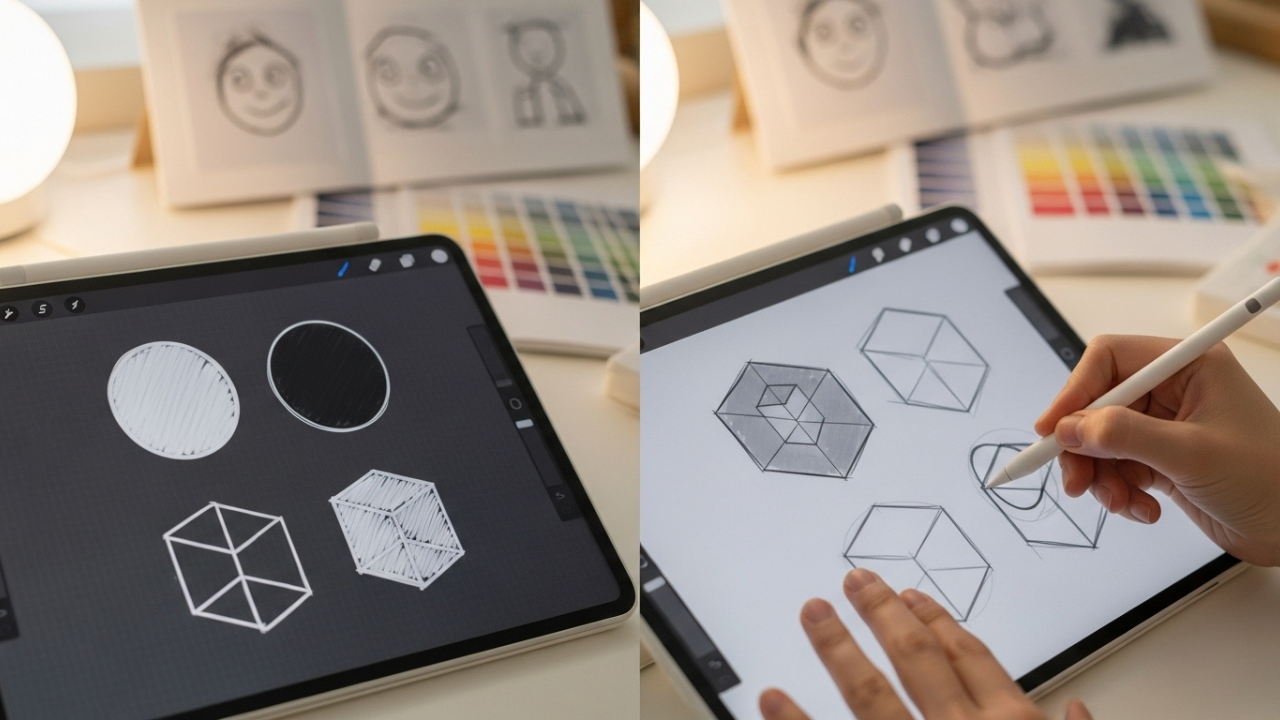
Consistent, structured practice is essential. Here are exercises tailored for digital art beginners.
Simple Shapes and Forms
Draw basic shapes like circles, squares, and cubes. Then, practice shading them to create volume. It aids you in managing brush strokes and learning about light, shade, and depth in a virtual environment.
Copying and Tracing Practice
Choose simple images or other artworks to copy. This isn’t about stealing art—it’s a learning exercise. Learn how a line is made, when color is applied, and how layering works. When you reproduce something, you learn the technique and your muscle memory improves.
Daily Sketch Challenges
Commit to short daily sketches, even just 15–20 minutes. Try out different brushes, color combinations, or styles. Consistent practice builds confidence quickly and improves skills.
Common Challenges and How to Overcome Them
Learning Curve of Digital Tools
Starting out with many brushes, layers, and menus can be daunting. Choose one program to study its easiest tools and leave the advanced tools for later.
Hand-Eye Coordination
Drawing with a tablet or mouse can feel awkward at first. Your hand may not accurately convey motion to the screen. Start with simple shapes and then sketch slowly to build up control gradually.
Perfectionism and Frustration
Mistakes are part of learning. One of the great things about digital art is you can constantly undo, erase, and try. It’s okay to make mistakes; the important thing is you made some effort.
Advanced Techniques for Beginners
After getting comfortable with the basic tools, it’s time to learn methods to improve your digital artwork.
Using References Effectively
You learn how to do things from a reference. They can be photos, real-life objects, or other artworks. Using references helps you learn proportions, colours, light, and textures. When you are starting out, draw simple objects from a reference. Once you can do that, create your own variations.
By utilizing layers to overlay references, you can keep your drawing on track while adding your own flair. This technique speeds up learning as well as keeps your artwork accurate and visually appealing.
Workflow Strategies
A proper workflow is important for productivity. The approach is simple:
-
Sketch Layer: Roughly outline shapes and composition.
-
Refinement Layer: Clean up lines and clarify details.
-
Fill Layer: Apply flat base colors.
-
Shading and Highlight Layers: Add depth, light, and shadow.
-
Last Adjustment Layer: Add textures, filters, or corrections.
The organization and naming of layers will prevent confusion when working on complex designs. Even novices benefit from a workflow that resembles professionals.
Blending and Texture Techniques
As you progress, practice advanced blending techniques. Try soft brushes, lowering opacity, and applying layer masks. These techniques allow for smooth transitions, realistic lighting, and heightened softness.
Textures can also enhance your artwork. Many free tools have texture brushes; some let you import textures. Using textures like fabric, wood, or animal skin will make your digital paintings more realistic.
Creative Exercises to Build Skill
Consistency and experimentation are key to improvement. Here are exercises that can help you control, be creative, and improve your style.
Limited Palette Exercises
Choose only 3–5 colors and create a composition. Having a limited number of colors will help you pay more attention to color relationships and improve your ability to create harmony.
Speed Drawing Challenges
Set a timer for 10–15 minutes per sketch. Exercise your hands with quick and crisp strokes to build good hand-eye coordination, speed, and confidence. These brief periods avoid overthinking and generate spontaneous ideas.
Style Exploration
Try copying different art styles: anime, realist, abstract, and so on. When you observe and copy styles, you learn new techniques and are inspired to experiment more. Ultimately, this helps you develop your own style.
Layer Experimentation
Single out a project to play around with layers and blending modes. Experiment with opacity to see the impact different combinations have on mood, depth, and lighting. Using digital tools makes them more familiar and allows for creative effects.
Joining Communities and Sharing Work
Digital art thrives in online communities. When you share your work and get feedback, you grow faster. You also develop confidence when you do this.
Websites such as DeviantArt, ArtStation, Reddit, and Instagram are good places to post your work, engage with other artists, and learn from feedback.
Join challenges or contests to stretch your limits and try something new. Check out what other people are doing. This will help you see trends and learn new techniques. Engagement in communities also fosters motivation. Witnessing the progress of other novices and the tips from professionals helps you realize that, with practice, everyone can improve.
Overcoming Common Challenges
Fear of Mistakes
Digital art allows for experimentation due to the reversibility of mistakes. Embrace errors as learning opportunities. Don’t be afraid to use layers to separate parts of your artwork so you can try things without fear.
Frustration with Software
Some free tools are difficult to learn or don’t reveal all features. Focus on one program at a time. YouTube channels, online tutorials, and guides make complex functions easier with step-by-step instructions.
Plateaus in Skill
Everyone experiences periods of slow progress. Overcome this by:
-
Trying new techniques or styles.
-
Studying references and analyzing other artworks.
-
Practicing consistently, even for short sessions daily.
Transitioning Beyond Free Tools
When you feel comfortable with free software, you can get paid software to access advanced features, brushes, or effects.
When to Consider Paid Software
Compared to free ones, paid software like Procreate, Clip Studio Paint, and Photoshop come with extra brushes, animation options, and higher personalization. Switch to a paid platform only when the limitations of free software affect your capability. Make sure the investment matches your growing skill.
Upgrading Hardware
Using a tablet or pen display enhances accuracy, pressure sensitivity, and comfort. Start small and upgrade gradually. Even beginners can produce great work using free tools and inexpensive hardware.
Motivational Advice for Beginners
The path to mastering digital art requires patience, curiosity, and practice.
Focus on consistent learning rather than perfection.
Welcome your mistakes as they teach you control, layering, and colour.
Try out different styles, brushes, and techniques to find your own unique voice.
Enjoy the process. Creating digital art is about the entire experience and all the enjoyable discoveries along the way.
Every expert digital artist was once a beginner. You can develop impressive skills without spending money, just by using free tools and practicing regularly. Interacting with the community also helps you achieve your goal.
Conclusion
Anyone who has a computer, tablet, or even a phone can create digital art. Free tools like Krita, MediBang Paint, GIMP, and Sketchbook provide everything you need to get started. You can learn fundamental skills and find exercises. Just keep practicing them until you master them.
Using free tools means you can experiment without pressure. Later, you can advance to paid software or upgraded hardware as you grow. Above all, having fun while learning and creating digital art should be your most important goal.
How to package handmade gifts for shipping safely
How to package handmade gifts for shipping safely, Imagine spending hours crafting a delicate handmade gift. You wrap it up, ship it out, and wait
Best Craft Fairs to Sell Handmade Items in the US
Best Craft Fairs to Sell Handmade Items in the US, It would be striking to spend hours making handmade items, only to have no one

SEO Tips for Etsy Listings for Craft Sellers
SEO Tips for Etsy Listings for Craft Sellers, Picture the scene: spending hours creating gorgeous handmade items but not selling ANY on Etsy. Your products
Trending Handmade Products to Sell in 2025
Trending Handmade Products to Sell in 2025, If you spent hours making unique handmade items for sale in 2025, would you struggle to decide which
